In this Docker tutorial, we’ll explain Docker Engine Architecture and Stages of Containerization.
Stages of Containerization
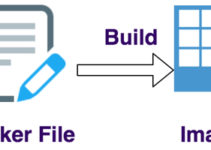
- Build – Docker file is build
- Ship – Docker Image is ship
- Run – Containers run
Docker file is also called as a blueprint of docker images.
[ads1]
Docker Engine Architecture:
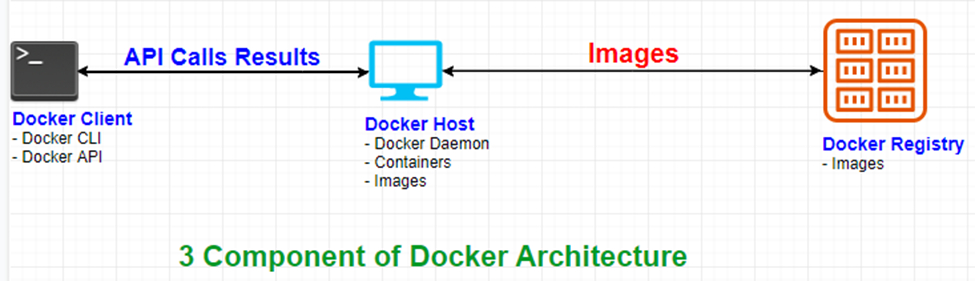
Docker and the whole process of containerization revolve around three main components.
- Docker Client
- Docker Host
- Docker Registry
Docker client:
Is the machine or medium through which we as users interact with Docker.
The two basic ways of interaction:
- Docker CLI which stands for command-line interface
- Docker API’s which stands for application program interface
Example for Docker Client
Docker CLI
- Docker run
- Docker pull
Docker API
- containers.run
- containers.list
Commands can be directly used client terminal, whereas API can be used to make some application talk to docker. [ads3]
Docker Host
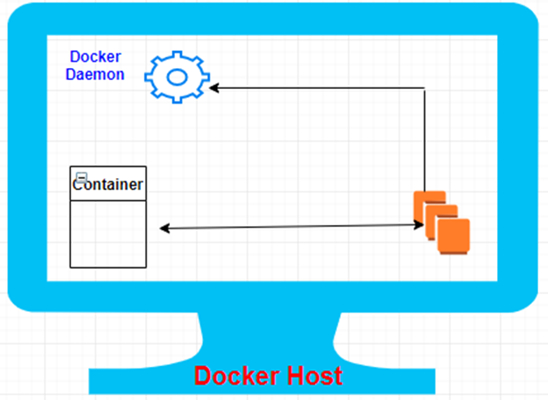
Is the machine which actually performs the task of containerization. It runs a program or a piece of software called docker daemon which listens to or performs action asked by docker clients.
- Docker demon build docker file and turns into docker images
- Docker file and docker Images can directly communicate with the docker daemon
- Docker Images can be built from the docker file or they can be push or pull from the docker hub.
- Docker Images are used to run containers
- Docker Client and Docker Host are actually the same machines but the functions of docker client as a piece of software is limited to passing the user input and displaying output provided from the docker host
Docker Registry:
It serves as a place to store docker images and make them available to others
[ads3]
How does it work?
Docker Clients talk to docker daemon bi-directionally where it passes the request and receives the results whereas docker daemon and docker registry can talk bi-directionally to push and pull images.
This is the end of Docker Engine Architecture and Stages of Containerization.
[ads1]